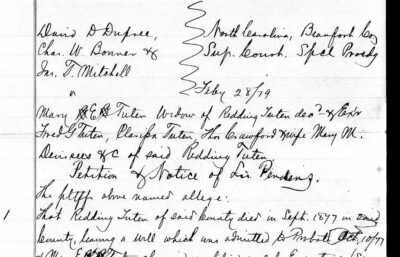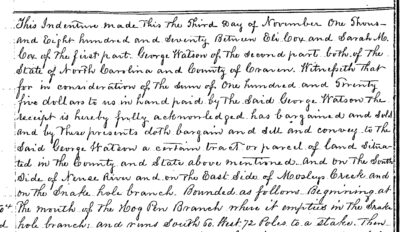
It’s a whole new world. Generations ago, our forebears did genealogy on paper with pens (or typewriters). They kept their notes in folders or binders or journals. They might have used family group sheets or pedigree charts to organize names and dates. In the early days of personal computers, folks started to use family tree software. Then the Internet came along and changed everything.
These days, even if you’re not interested in going back to the paper and pen days, you still don’t need to have a GEDCOM file or a subscription to genealogy software to start organizing your family history with AI.
If you’ve been collecting notes in emails, Word documents, notebooks, or even just in your head, you can use AI to turn that material into clean, traditional research tools — good ol’ family group sheets, simple pedigree charts, and even detailed, organized spreadsheets.
This strategy works especially well if you’re just getting started, if you prefer the traditional paper style of genealogy research, or if you want to focus on one family or problem at a time without setting up a full database.
How it works
You work with the AI conversation by conversation. You paste in what you know about a person or couple, and the AI helps you structure it. Over time you build a set of clean documents that become your working tree.
The key is to treat the documents you create as the permanent record—not the chat itself. Download and save each family group sheet or chart as you go. You can also keep a simple spreadsheet as a master index.
Starter prompt: Turn messy notes into a family group sheet
Copy and paste this into your AI of choice, then add your notes:
Here are my rough notes about [Person’s full name]. Please turn them into a clean, traditional family group sheet format. Include sections for birth, marriage, death, parents, spouse(s), and children. Flag anything that looks incomplete or inconsistent.

[Paste your notes]
Ask the AI to create it as a downloadable Word document or as text you can copy into Google Docs. Repeat for each couple or individual you want to document.
Building a simple pedigree
Once you have a few family group sheets, you can ask the AI to help you sketch a basic pedigree chart:
Using the information from these family group sheets, create a simple text-based pedigree chart for [starting person] going back three generations. List each person with birth and death years if known.You can then turn that into a visual chart in Google Drawings, Canva, or even by hand.
Using a spreadsheet as your working tree
Some researchers prefer a spreadsheet. It’s flexible, easy to filter, and you control every field. A simple starting structure is one row per person:
- Person ID
- Full name
- Birth date / place
- Death date / place
- Father ID
- Mother ID
- Spouse ID
- Notes / sources
You can ask the AI to help you set this up or to clean and standardize data you’ve already entered. For example:
I have a list of people and some relationships. Please help me organize this into a spreadsheet format with columns for Person ID, Full Name, Birth, Death, Father ID, Mother ID, and Notes. Flag any missing or conflicting information.Tips for staying organized
- Save every finished family group sheet or chart. Don’t rely on the chat history alone.
- Use a Project (in Grok, Claude, or ChatGPT) so your files and instructions stay together.
- Periodically ask the AI to review what you’ve built so far and list gaps or inconsistencies.
- Remind the AI: “Only use the information I provide. Do not invent facts or relationships.”
When this approach makes sense
This method is ideal for:
- Getting started without learning new software
- Focusing on one brick-wall family or DNA cluster
- Creating clean, shareable documents for cousins
- People who like the traditional family group sheet style
Once your tree grows beyond a few dozen people, you may eventually want dedicated software. But many researchers find that a well-organized set of AI-assisted family group sheets and a simple spreadsheet is enough for focused research—and far less overwhelming than starting with a full GEDCOM.
The full set of prompts from the main guide works perfectly with this approach. Start with one person or one couple, save the result, and build from there.